For my client’s site, they were not interested in My Site and My Links for the first phase. Below are the steps I followed to remove the two links:
- Log into Central Administration.
- Under Shared Services Administration in the Quick Launch bar, select the one running My Sites.
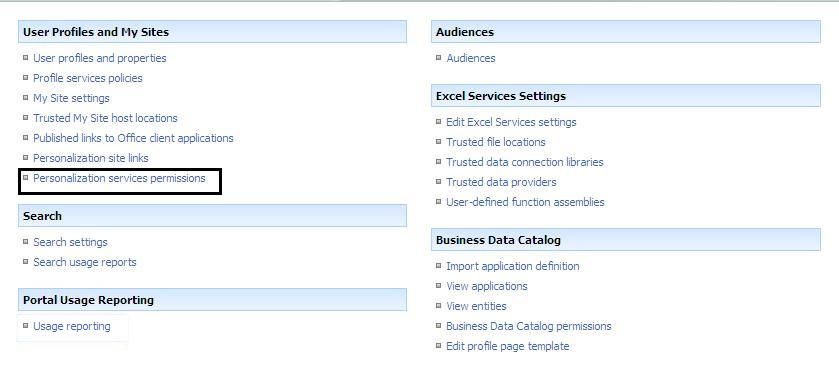
- In the “User Profiles and My Sites” group, click on the “Personalization services permissions” link.
- For those users you want to remove the personalization functionality, click on the user name (for example, NT AUTHORITY\Authenticated Users).
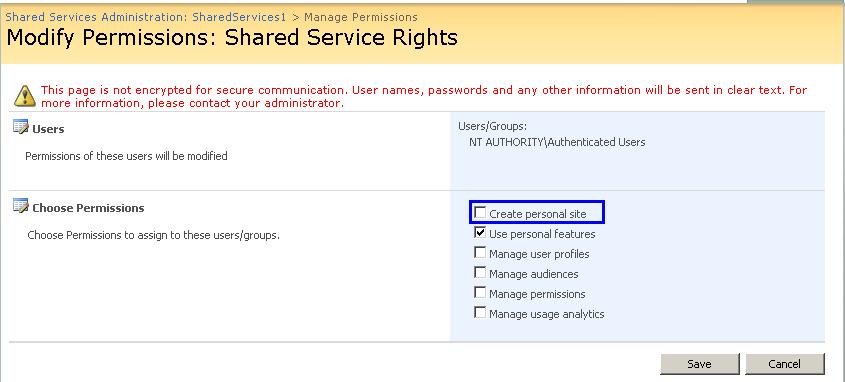
- On the “Modify Permissions: Shared Service Rights” page, uncheck “Use personal features”. Click OK to save.
- I had to shut down my browser and log in again to see my changes.
Note 2: If you do not change the Administrator user, you will see My Site and My Links displayed. If you don’t want to see them when you log in as an administrator, change the administrator’s permissions.
Note 3: As far as #6 above, this isn’t required. A timer job runs which will switch all authenticated users. Be patient.
This post helps you to disable the My Site Link that is at the top of SharePoint site based on the rights of logged in user.
Open the
 Shared Services Administration Link from the Central Administration page.
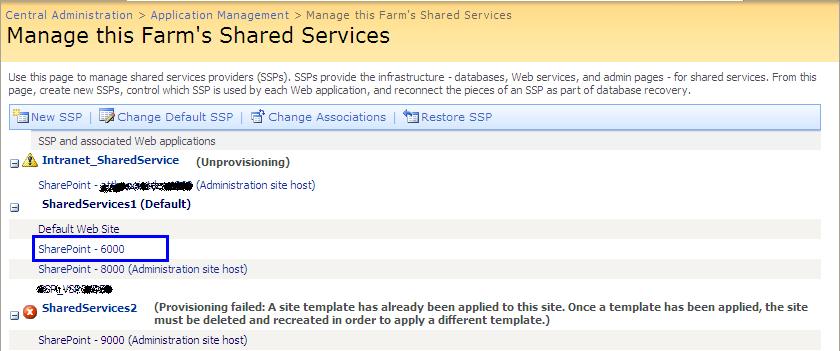
In the Manage shared service page select the shared service to which your site for which you need to manage the My Site Link is mapped.In the below fig I am trying to manage My Site Link for Site SharePoint – 6000,So I am selecting the Shared Services1.
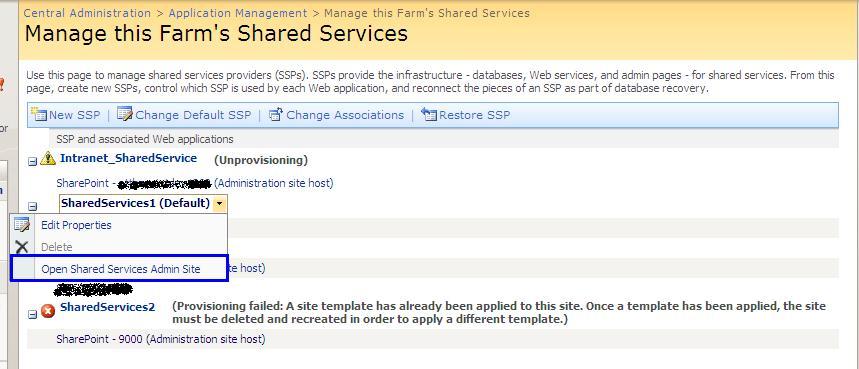
In the Shared Admin page select the link Personalization Services Permissions Link present in the User Profiles and My Sites Section.
Select the user group for which you want to enable or disable the My Site Link Permission.
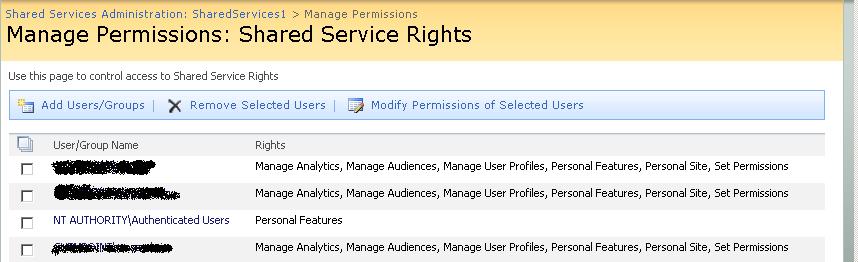
Check or Uncheck the Create Personal Site Check box to Manage the Rights.
Thanks And Regards,
Dipti Chhatrapati

No comments:
Post a Comment